
Jira automation refers to a set of features within the Jira platform that allow users to create programmable rules. These rules are designed to automate repetitive steps and workflow tasks within projects and issue tracking environments. By configuring triggers, conditions, and actions, automation helps standardize processes and support collaboration within project teams.
Teams using Jira automation can customize when and how tasks change status, generate notifications, update fields, or assign responsibilities—all without requiring manual intervention for each step. The automation framework is accessible via a user-friendly interface and supports both basic rule composition and more complex, multi-branch logic.

Jira automation tools generally employ a pattern in which an event or trigger initiates a rule. Examples of triggers include issue creation, field updates, or status changes. Following the trigger, conditions may narrow the scope of automation to certain types of issues or projects. The rule concludes with an action, such as transitioning an issue or posting a comment.
Automation in Jira may help teams save time by reducing the number of manual steps required to progress work through standardized processes. This consistency could lead to increased accuracy, as the risk of repetitive data entry errors and overlooked steps is minimized. Additionally, automated processes are often more transparent, as rules can include logging and notifications for auditability.
Another benefit comes in the form of scalability. As projects grow or teams expand, established automation rules can be reapplied or adjusted to support new workflows without significant overhead. Teams also have the option to duplicate or share rules across different projects, making it easier to maintain organizational standards.
Jira’s automation ecosystem integrates with a range of project templates and is compatible with both classic and next-gen Jira experiences. Users may further tailor rules according to priority, deadline, assignee, or any custom field that fits business requirements. Flexibility is achieved through options such as scheduling recurring actions or toggling between simple and advanced rule editors.
In summary, Jira automation provides a customizable and scalable framework for managing workflows. By leveraging built-in tools, specialized apps, and integrations like webhooks, teams can establish methodical, repeatable project processes. The next sections examine practical components and considerations in more detail.
The fundamental structure of a Jira automation rule consists of three main elements: triggers, conditions, and actions. Triggers are events within Jira that initiate the automation, such as issue creation or a field update. These are often built-in to cover a range of common project activities. By starting rules with a trigger, teams can specify exactly when an automated process should begin.
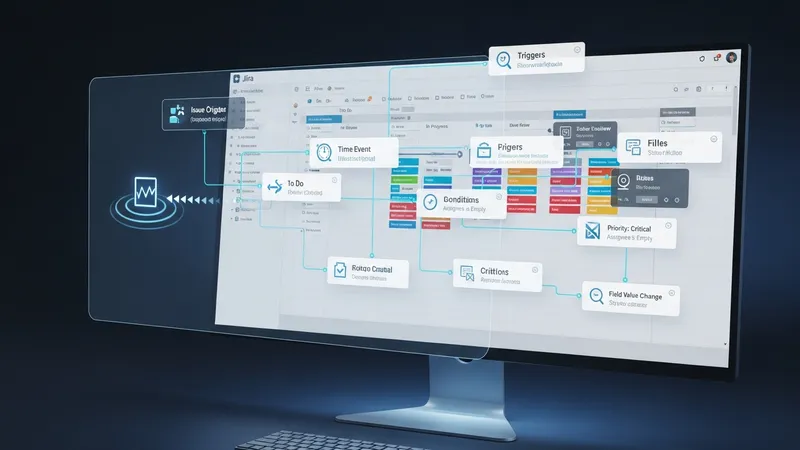
Conditions are the next component and typically act as filters. They determine if the rule should proceed based on specific criteria, such as the type of issue, project, or field values. Conditions are optional but offer fine-tuning of automation, allowing users to exclude or include only relevant scenarios, which can help control rule complexity and relevance to the workflow.
Actions complete the rule by defining what happens when all conditions are satisfied. Common actions may include updating fields, transitioning issues to another status, assigning work, or sending notifications. Multiple actions can be combined within a single rule, and some Jira plans provide options for branching logic or delayed actions as part of the configuration.
The interplay among triggers, conditions, and actions forms the basis for process automation in Jira. This modular approach enables both straightforward and sophisticated workflows, from single-step automations to multifaceted, organization-wide rules. Understanding this structure is essential for aligning automation design with specific project or organizational needs.
Automating workflows in Jira may streamline project management for teams by reducing repetitive manual tasks. Automation can standardize processes, ensuring that steps are followed in a consistent manner regardless of team size or project scope. This uniformity often results in more predictable timelines and fewer errors associated with manual intervention.

One of the primary strengths of Jira automation is increased visibility. Automated notifications and updates can inform stakeholders whenever important transitions or changes occur. This level of transparency supports coordination and record-keeping, making it easier to track progress across complex projects with multiple contributors.
However, automation in Jira does have certain limitations. Complex workflows with highly variable paths or exceptions may require custom scripting or manual oversight. Some rules could produce unexpected outcomes if not accurately designed, so testing and revision are important aspects of rule management. In some cases, the built-in rule limit per Jira plan may also influence how many automations a team can deploy.
Team members may also need to balance automation with the flexibility required for creative or nonstandard work. Over-automation can reduce the ability to adapt workflows for unique situations. As teams grow and automation rules proliferate, maintaining a rule inventory and conducting regular reviews may be prudent for sustained project success.
Jira automation is often applied in scenarios where project tasks repeatedly follow similar steps. For example, when a software bug is reported and transitioned to a resolved state, an automation rule may automatically assign the issue to a quality assurance specialist and send an update to the reported user. This reduces the need for multiple, sequential manual updates.

Another scenario involves recurring maintenance or administrative tasks. Teams may configure rules to automatically create and assign tasks on specific dates, or to periodically check for overdue items and alert relevant team members. These automations help maintain proactive project management and minimize oversight gaps.
Integrations with other tools broaden automation use cases. Through the use of webhooks, Jira can communicate with external services, such as triggering updates in a document management system when an issue status changes. This enables end-to-end process alignment across multiple platforms.
Moreover, automated reporting can summarize project status, escalation points, or other metrics and deliver them to stakeholders or dashboards. Some Jira automation features support scheduling regular email digests or dashboard updates—helping teams review performance trends and adjust workflows where necessary.
Setting up automation rules in Jira generally involves using the platform’s interface to select triggers, conditions, and actions from predefined menus. For more advanced requirements, teams may use custom fields, smart values, and branching to extend functionality. Documentation from Atlassian and community support resources are widely available to guide the configuration process.
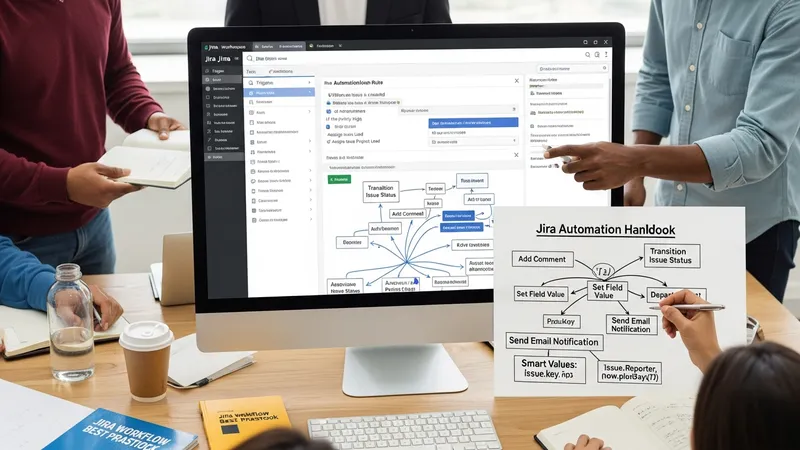
Managing automation in active environments requires continuous oversight. It is advisable to document each rule’s purpose, intended outcome, and revision history. Many organizations implement periodic audits to ensure automations remain relevant and do not conflict with newer rules or processes. Testing rules in a staging environment before deployment can help minimize the risk of unintended changes.
Role-based access control is an important management consideration, as only designated administrators typically have permission to create or modify automation rules. This approach maintains rule integrity and reduces the potential for accidental system-wide changes. Notification settings and rule logs further aid in tracking which automations have been executed and their impact on workflow activities.
Looking ahead, ongoing evaluation of rule performance and regular user feedback can inform updates or new automation rule creation. As project requirements shift, keeping automation aligned with team practices ensures continued workflow stability and value from the Jira automation framework.